
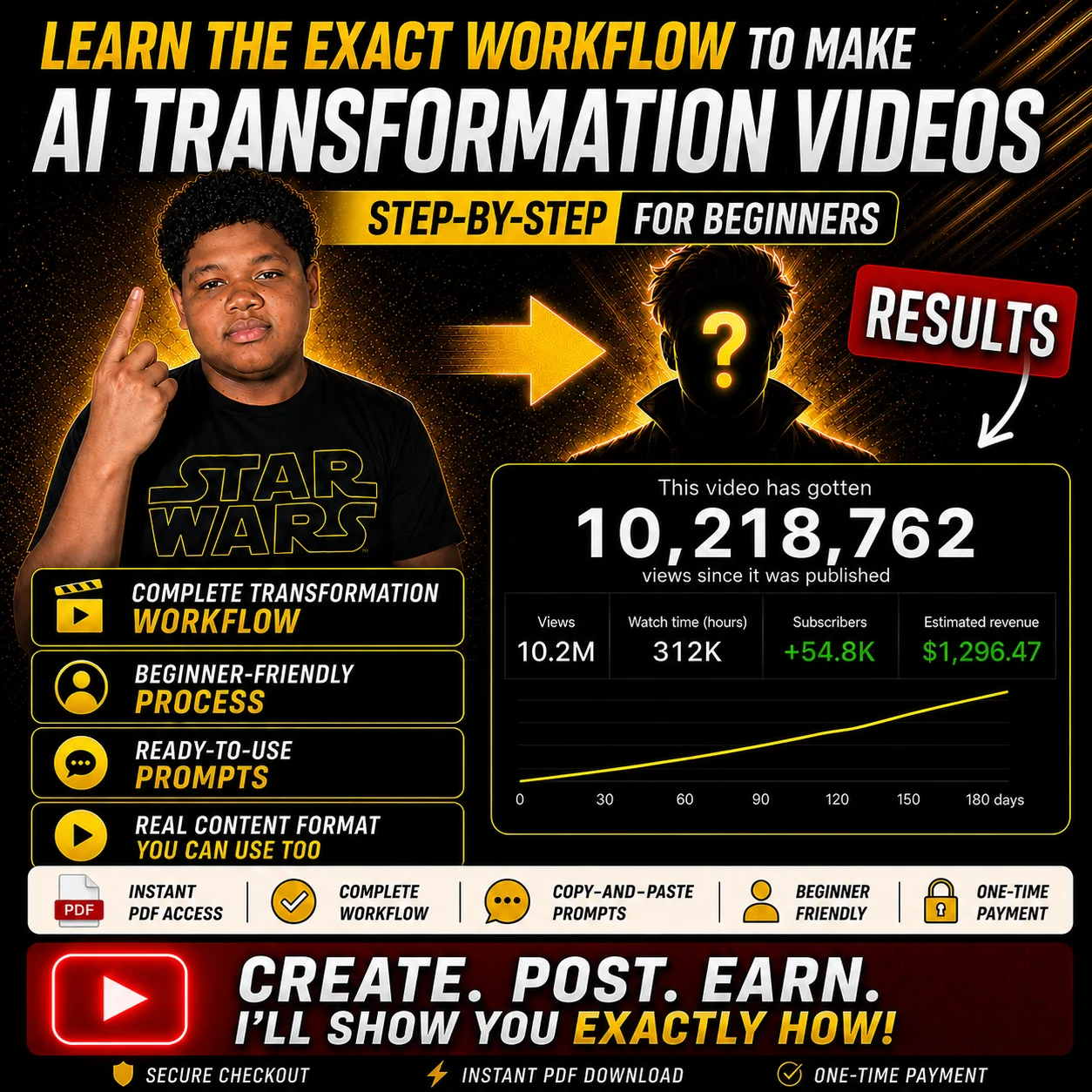
AI Transformation Creator Pack product preview
NEW CREATOR PACK
Guide
Create AI transformation videos from ordinary clips. Follow the exact PDF workflow structure for turning simple source clips into transformation-style short-form videos using prompts, reference frames, motion guidance, and editing steps.
BEST FOR
Shorts
Built for short-form transformation content. Use the guide to understand how transformation clips are structured, created, cut, and polished for mobile-first videos, reels, shorts, and comment-reply style edits.
INSTANT DIGITAL DOWNLOAD

AI Transformation Creator Pack

$24.99
$14.99

Learn the workflow I use to create AI transformation-style videos like the examples shown. Follow the step-by-step PDF guide, use the included prompts, and build your own transformation content from ordinary clips.

Instant access after purchase. Inside the PDF you get the complete transformation workflow, copy-and-paste prompts, setup process, editing guidance, transition structure, and quality checklist used to create videos like the examples shown.
Instant download
Secure checkout
Digital product
Beginner friendly
  • Complete transformation workflow
  • Copy-and-paste prompts
  • Character replacement method
  • Voice cloning workflow
  • Beginner-friendly PDF guide
  • Instant download after checkout
  • All AI Tool names used in the workflow
Get Access

Instant download after checkout.

Exactly what you get

A single downloadable PDF guide that shows the transformation workflow, prompts, setup steps, editing process, and quality checks in one place. Third-party tools are required and are not included with this purchase.

AI Transformation Workflow PDF The complete step-by-step PDF showing how to record source clips, choose frames, build the transformation setup, generate transformation clips, and edit the final short-form video.
Copy-and-paste prompt structures Reusable prompt structures for avatar creation, pose matching, character replacement, and motion guidance so you can adapt the process to your own footage and transformation idea.
Frame extraction workflow A simple beginner-friendly method for pulling useful frames from short clips so they can be used as pose and motion references.
Editing and quality checklist Guidance for cutting clips together, improving pacing, creating smoother transitions, adding comment overlays, and checking the final video before export.

What you’ll be able to create

The PDF shows the process behind transformation-style short-form videos, so you can adapt the workflow to different ideas and formats.

Character transformations Create clips where a person, avatar, or subject is transformed into a new character style.
Comment-reply videos Build transformation clips around audience requests, reactions, and simple comment-based ideas.
Before-and-after edits Use the workflow to structure short videos around a clear setup, transformation moment, and reveal.

How the workflow works

The guide breaks the process into a simple structure so you are not guessing what to do next.

1 Record clips Capture short vertical clips with different poses, gestures, and expressions.
2 Extract frames Pull the best first frames and use them to guide pose and character consistency.
3 Create transformations Use the included prompt structure to replace, match, and guide the transformation.
4 Edit the video Cut the clips together, time the transition, add overlays, and prepare the final export.

Why creators buy this pack

Most creators waste hours guessing the workflow. This PDF shows the structure, prompt approach, setup process, editing flow, and checks I use so you can start from a clear process instead of a blank screen.

Stop guessing the workflow See the order of steps from source clip to finished transformation edit, so you know what to do next.
Use reusable prompt structures Adapt the included prompts for your own avatar, character reference, fictional transformation, or short-form video idea.
Build more polished clips Use the editing notes to improve pacing, transitions, overlays, and the final transformation structure.

What’s inside the PDF

The single PDF guide gives you the important workflow pieces in one place, including prompts, setup notes, editing structure, and quality checks.

Full PDF workflow guide
AI avatar creation prompt
Pose-matching prompt
Character replacement prompt
Motion-control prompt
Frame extraction workflow
Avatar generation process
Pose update process
Character replacement process
Motion setup guidance
Transformation clip workflow
Timeline cutting tips
Smooth transition tips
Comment overlay example
Quality checklist before export
Beginner-friendly setup notes
Short-form content structure
Creative adaptation guidance

Who this is for

This PDF is for creators who want a practical transformation workflow they can study, adapt, and build from.

Short-form creators Create transformation clips for vertical video platforms, shorts, reels, and quick viral-style edits.
AI video beginners Follow the steps instead of trying to figure out the full process from scratch.
Creative editors Use the workflow as a base for avatar clips, character transformations, reaction edits, and comment-based videos.
Important This is a digital PDF guide. It is not software, not an AI tool, and does not include access to any third-party tools or services. Third-party tools are required to follow the workflow and may have their own costs, credits, subscriptions, rules, or usage limits. Results are not guaranteed. This pack does not promise views, revenue, followers, monetisation, or channel growth. The guide is provided as a creative resource to help you study, adapt, and build your own AI transformation workflow using your own footage, prompts, reference images, and editing style.

Questions before you buy

Do I get instant access? Yes. After checkout, you get instant access to the downloadable PDF guide.
What is included? The pack contains a single PDF workflow guide. Inside the PDF are the avatar creation prompt, pose-matching prompt, character replacement prompt, motion-control prompt, frame extraction workflow, editing guidance, transition tips, comment overlay example, and quality checklist.
Do I need third-party tools? Yes. This product is a PDF guide showing my workflow. To follow the process, you will need to use third-party tools and services separately. Those tools are not included with this purchase and may require credits, subscriptions, accounts, or separate payment.
Is this beginner friendly? Yes. The guide is written as a step-by-step workflow so beginners can understand the order of the process.
Do I need to copy the exact example? No. The pack is designed so you can study the structure and adapt it to your own footage, characters, references, and editing style.
Does this guarantee viral results? No. Results are not guaranteed. Your results depend on your idea, execution, editing, hook, timing, audience, and upload strategy. The results in our product image are estimated results you can achieve and have been achieved by multiple users in different niches within youtube shorts.
Can I monetise videos I create? You can post and monetise videos you create from your own generated outputs, subject to the rules of the platforms and services you use. You cannot resell, share, or redistribute the pack itself.

Start creating AI transformation-style videos.

Use the PDF workflow guide, prompts, frame extraction steps, motion guidance, editing notes, and quality checklist to study and build your own transformation clips with third-party tools.

Get Access
$14.99
Get Access